Day 27 Task: Jenkins Declarative Pipeline with Docker
Certainly! Let's delve into the theoretical aspects of integrating Docker into Jenkins declarative pipelines.
Task 01: Using sh Inside the Stage Block
Jenkins Declarative Pipeline Overview:
Jenkins declarative pipelines offer a structured and concise way to define the entire build, test, and deployment process. The pipeline script is written in Groovy and allows developers to express the build pipeline as code.
Docker Integration:
Integrating Docker into Jenkins pipelines enhances the portability and reproducibility of builds by encapsulating applications and dependencies within containers.
Pipeline Configuration:
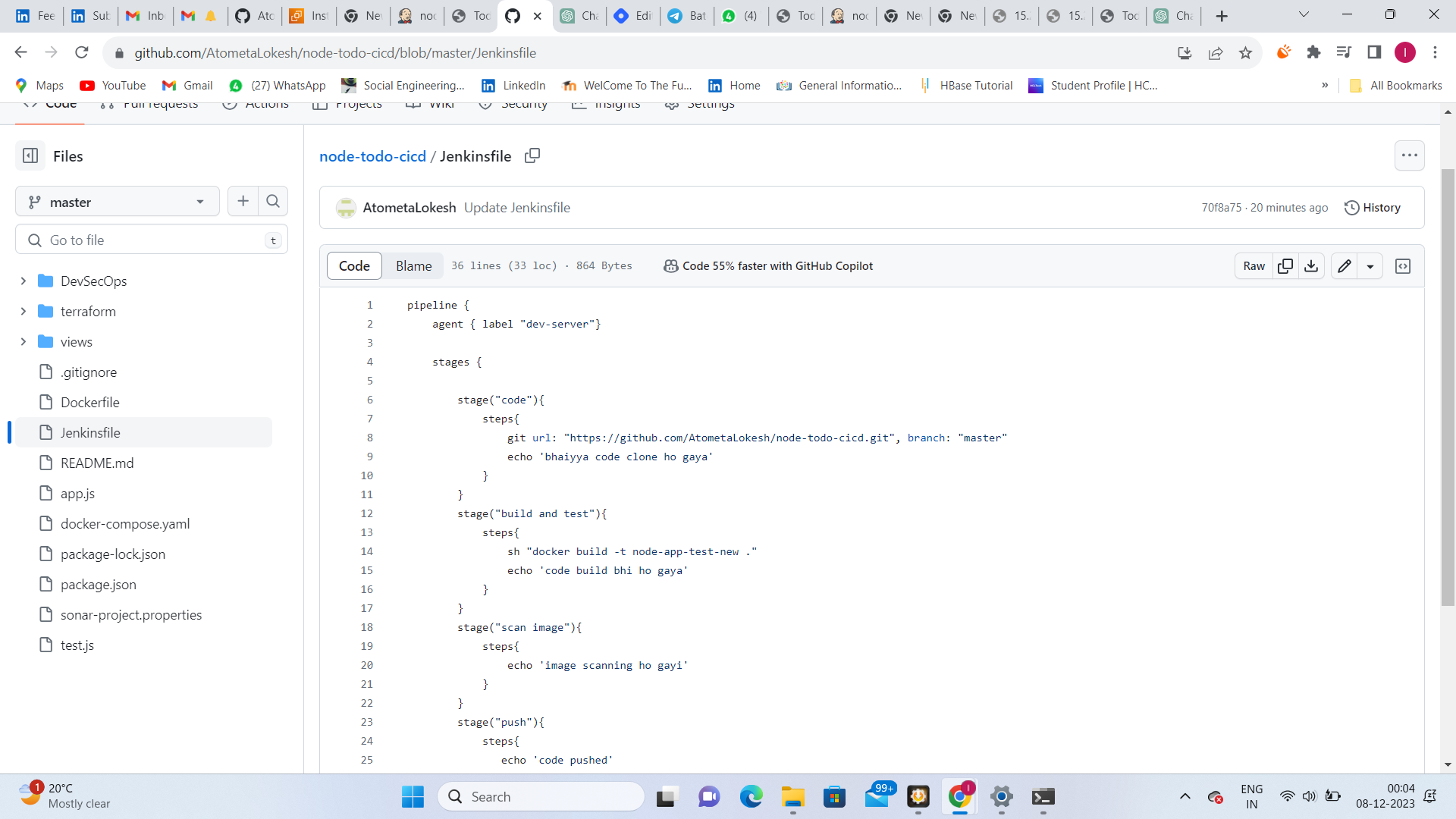
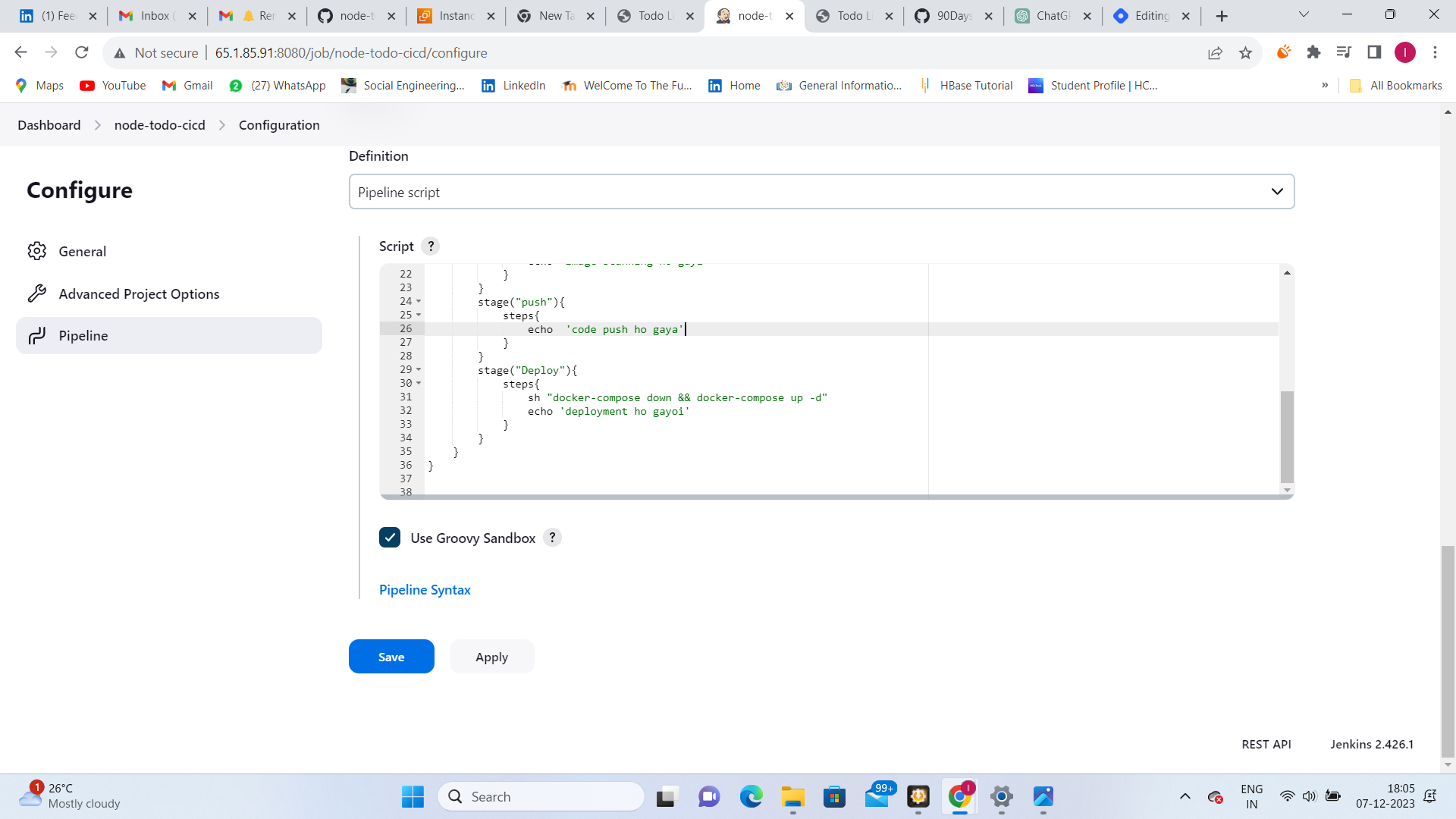
Explanation:
Agent:
anyimplies the pipeline can run on any available agent.Stages: Stages represent distinct phases in the pipeline. In this case, we have a 'Build' stage.
Steps: The 'Build' stage contains a script block, executing the
docker buildcommand to create an image.
Clean-Up Stage:
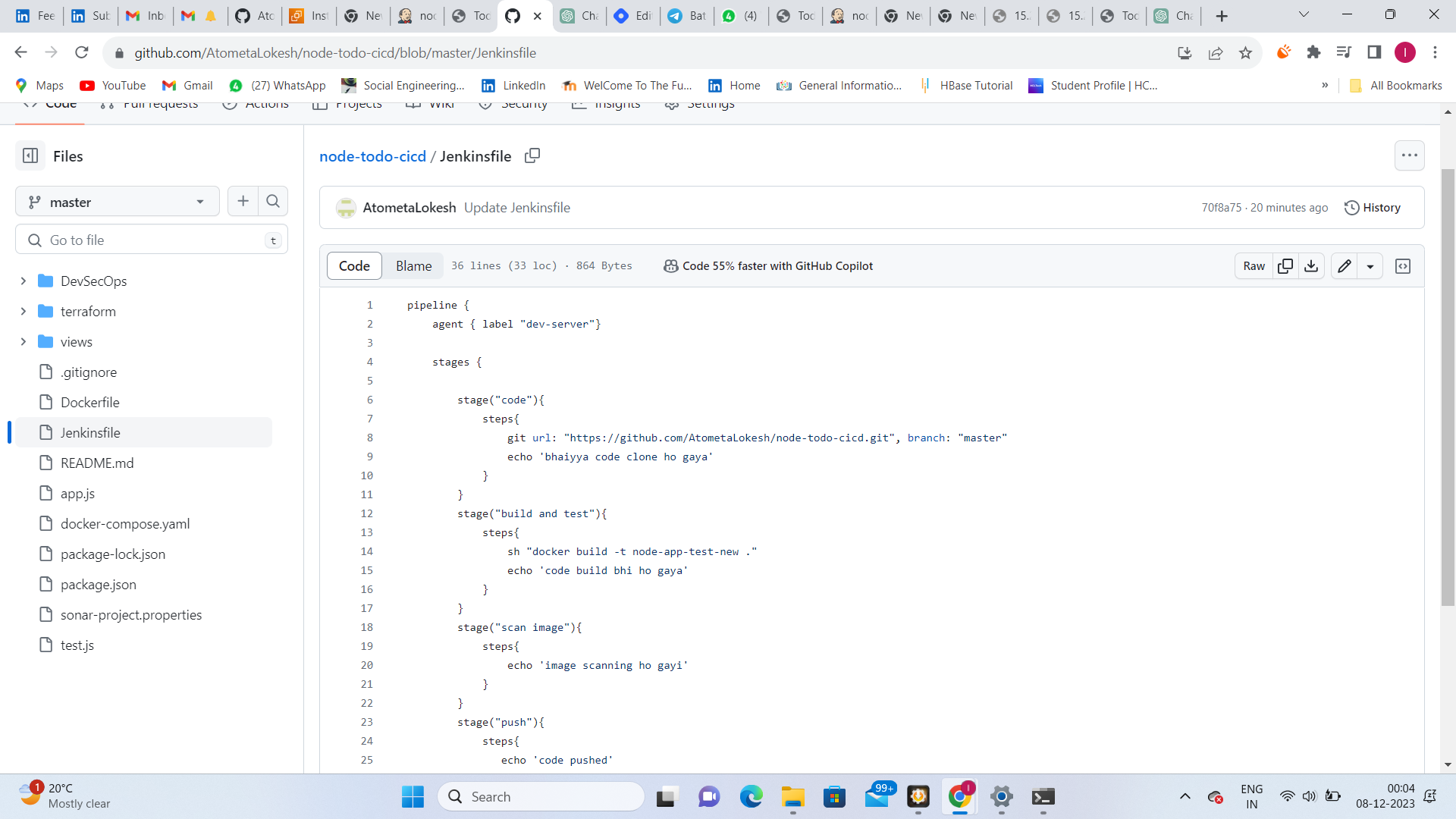
The 'Clean Up' stage ensures that any existing container with the specified name is removed before the build, preventing errors on repeated job runs.
Notes:
- Reusability: This pipeline structure is reusable across projects. Simply adjust the Docker build command and image tag based on project requirements.
Task 02: Using Docker Groovy Syntax Inside the Stage Block
Docker Groovy Syntax Overview:
The docker block in Jenkins allows a more streamlined and expressive way of interacting with Docker within pipeline scripts.
Pipeline Configuration:
pipeline {
    agent any

    stages {
        stage('Build') {
            steps {
                script {
                    docker.image('AtometaLokesh/node-todo-cicd:latest').build()
                }
            }
        }
        // Add more stages as needed
    }
}
Explanation:
The
docker.imagemethod sets the Docker image to build.The
build()method initiates the Docker image build process.
Publishing the Docker Image:
This stage demonstrates pushing the built Docker image to a container registry for broader distribution.
Notes:
- Enhanced Readability: The Docker Groovy syntax enhances readability, making it easier to understand and maintain.
Conclusion:
The integration of Docker into Jenkins declarative pipelines empowers DevOps teams to automate and streamline the containerized application delivery process. These pipelines provide a foundation for building, testing, and deploying Docker images consistently across different projects.