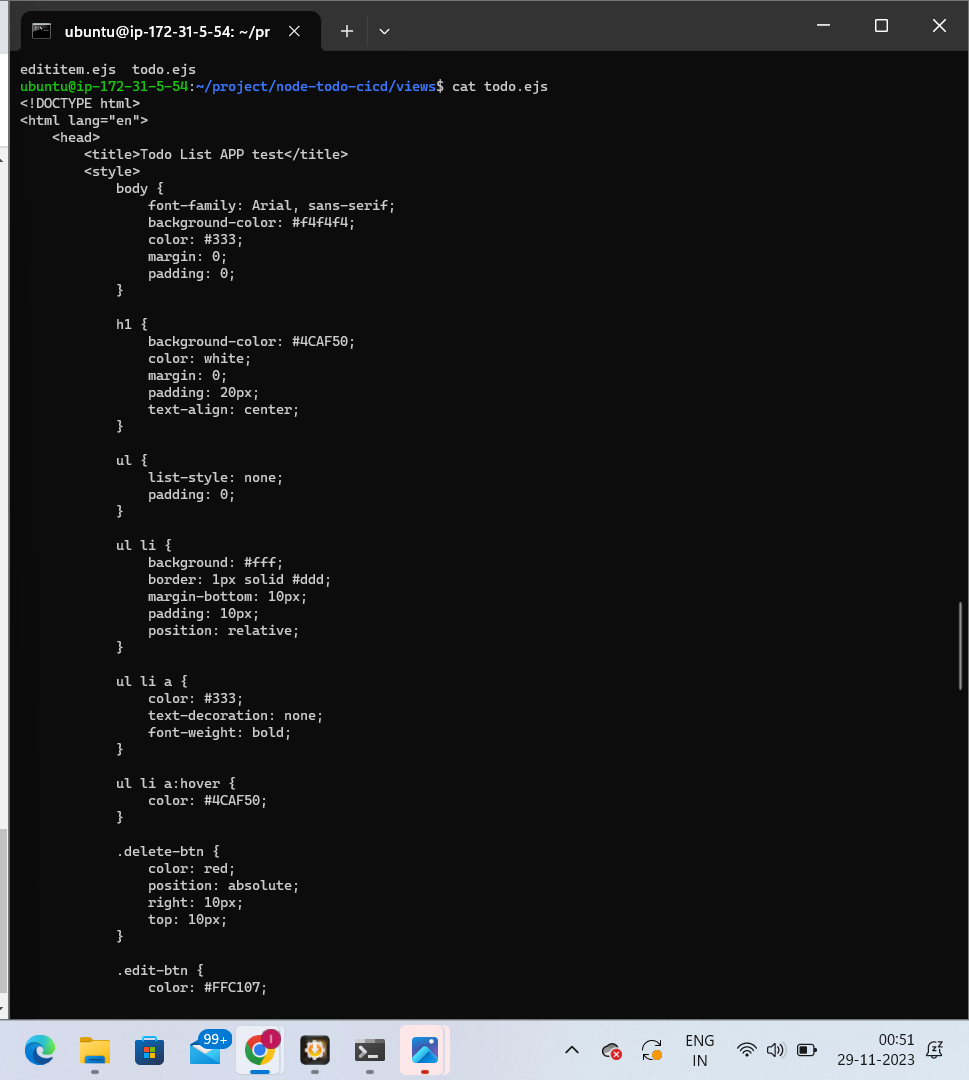
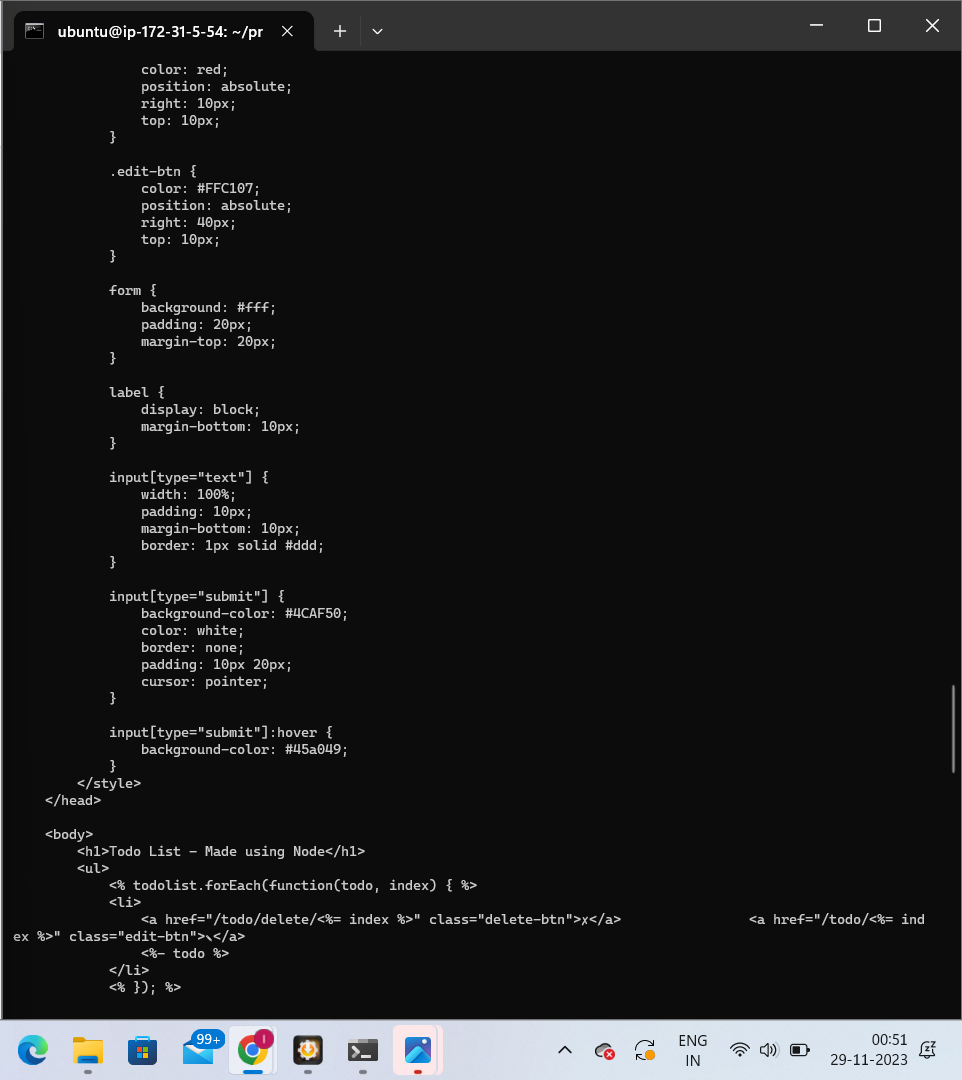
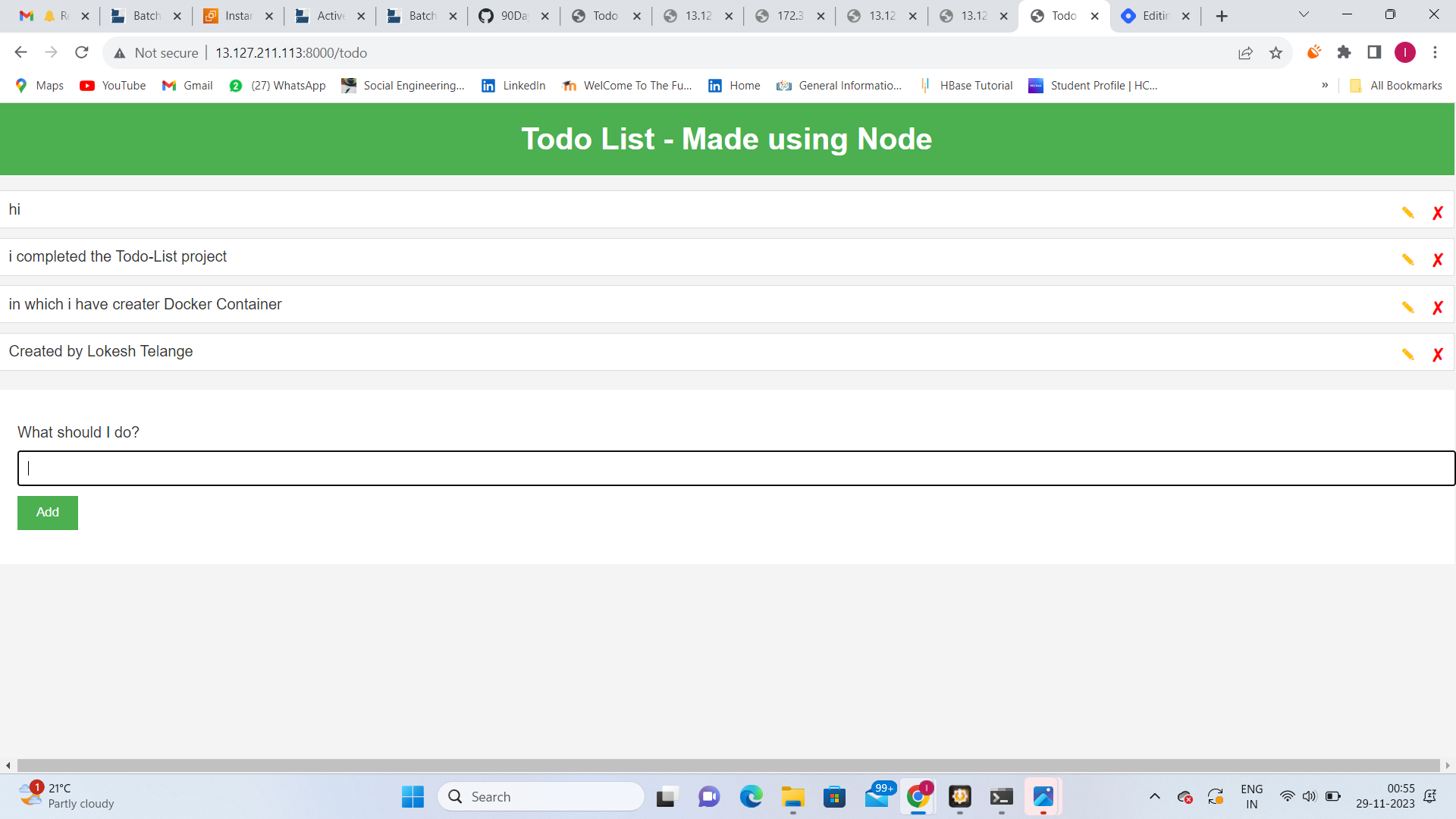
Day 17 Task: Docker Project for DevOps Engineers
Dockerfile
Docker is a tool that makes it easy to run applications in containers. Containers are like small packages that hold everything an application needs to run. To create these containers, developers use something called a Dockerfile.
A Dockerfile is like a set of instructions for making a container. It tells Docker what base image to use, what commands to run, and what files to include. For example, if you were making a container for a website, the Dockerfile might tell Docker to use an official web server image, copy the files for your website into the container, and start the web server when the container starts
Create a Dockerfile: Create a file named
Dockerfilein your project directory with the following content: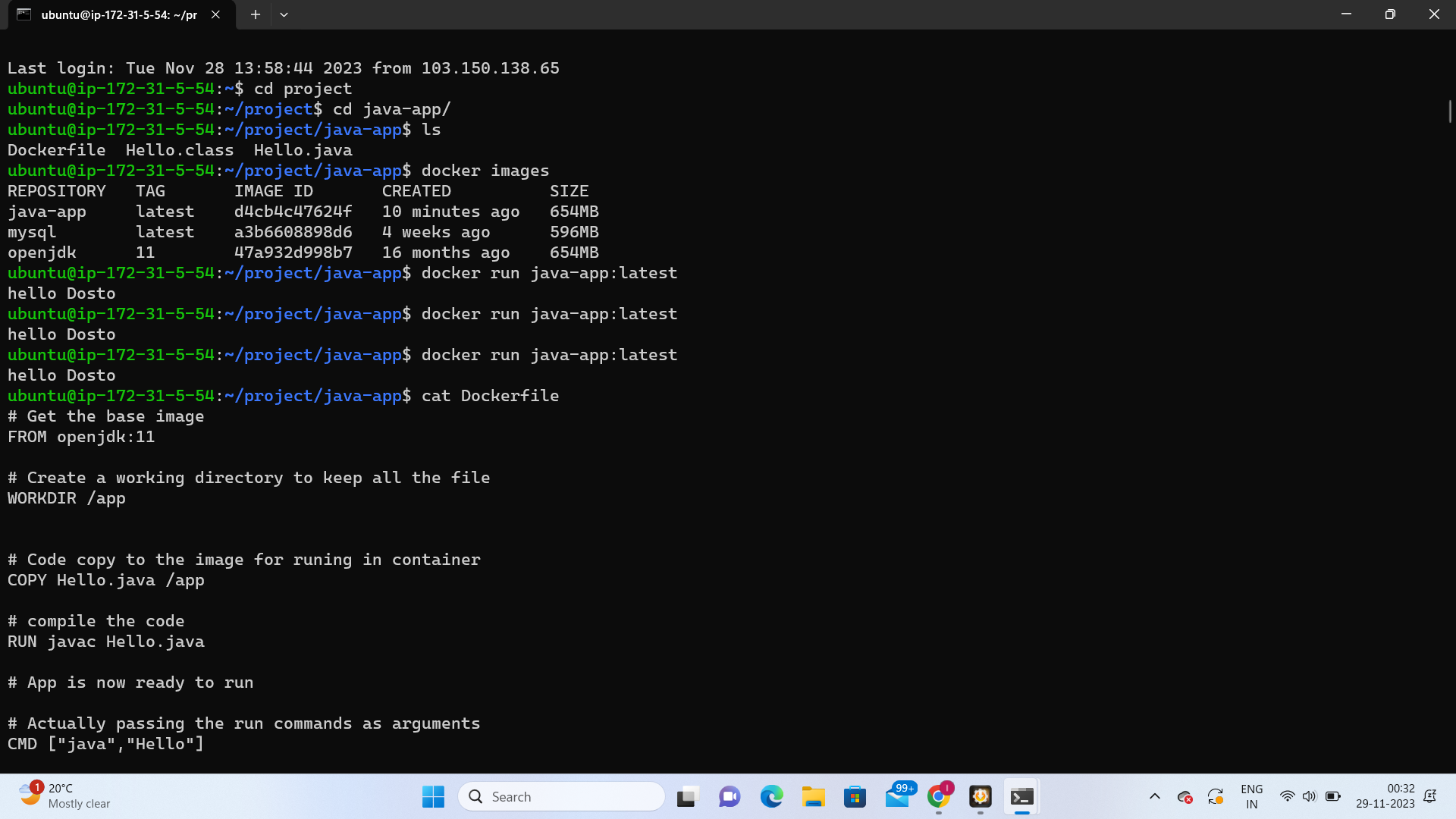
Make sure to adjust the above file based on your actual application structure and dependencies.
Build the Docker Image: Open a terminal, navigate to the directory containing the Dockerfile, and run the following command:
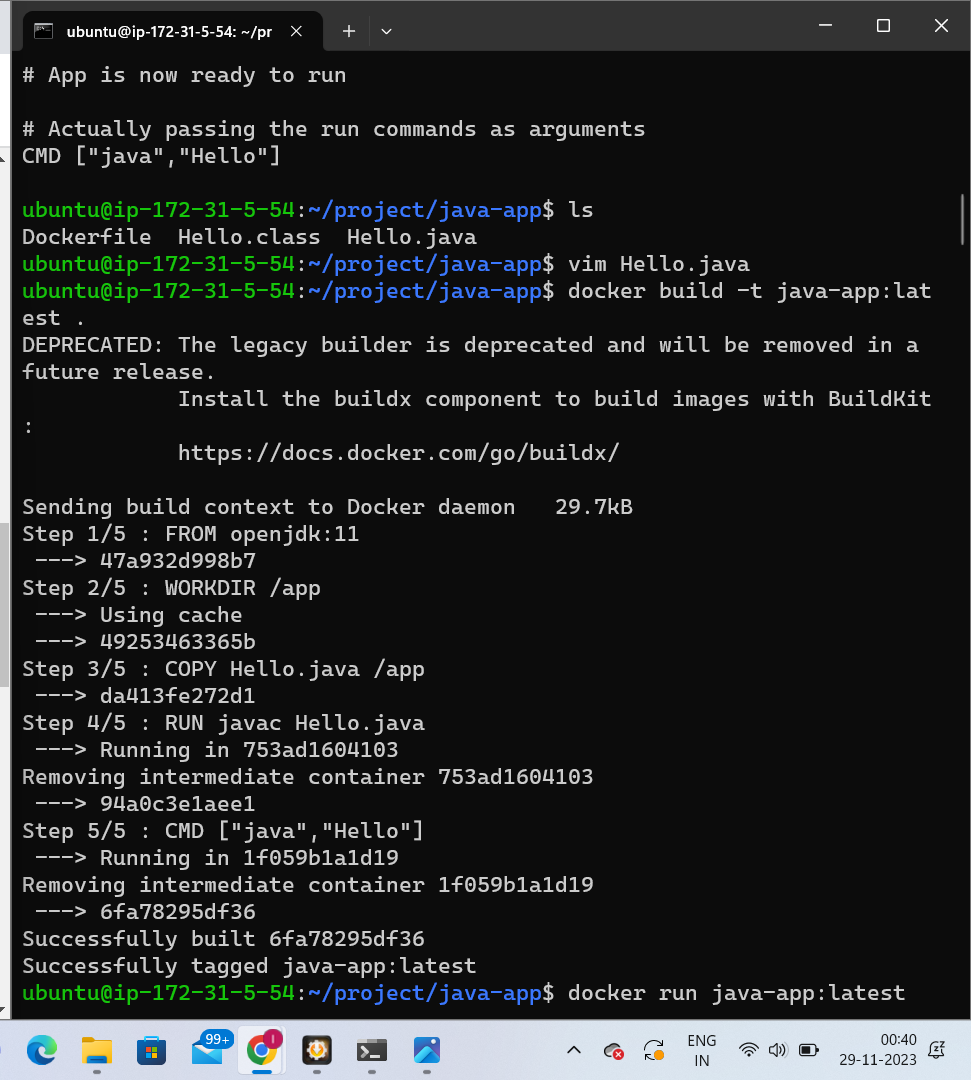
Run the Docker Container: Once the image is built, you can run the container using the following command:
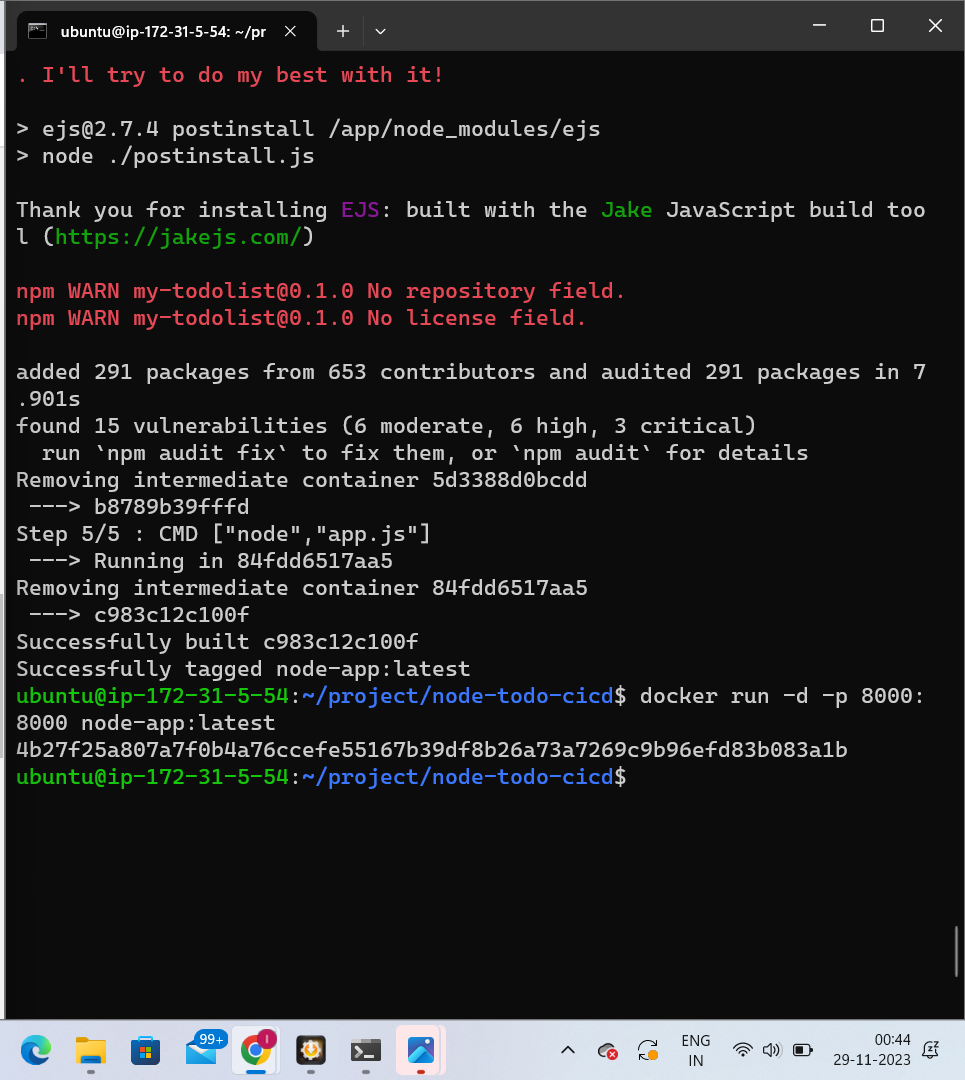
This command maps port 3000 on your host machine to port 3000 on the Docker container.
Verify the Application: Open a web browser and navigate to
http://localhost:3000to check if your web application is working as expected.Push the Image to Docker Hub: Before pushing the image to Docker Hub, you need to log in to your Docker Hub account using the following command: